

Most people treat their phone well enough, but things inevitably tend to go wrong over the long term. It’s often either a cracked screen or a battery that won’t hold a charge past noon, and suddenly you’re looking at a repair bill that could’ve easily been avoided. Most phone damage is, in fact, self-inflicted, slowly and quietly.
Knowing the right habits is all it takes to avoid those problems and stave off costly repairs. Discover the most common mistakes to avoid with this quick guide!
Ignoring the 20-80 Rule
Charging your phone to 100% every night and letting it drain to zero might feel like a bit of intelligent decision-making. It isn’t.
Lithium-ion batteries are designed to last longer when the charge stays between 20% and 80%. Operating consistently at low or very high voltages will place unnecessary stress on the battery, accelerating degradation over time. Most flagship phones do, thankfully, have a built-in fix for this:
- iPhones come with an ‘Optimized Battery Charging’ feature in the Settings app.
- Samsung/other Androids have ‘Battery Protection’.
Read: 3 Practical Habits That Make People Feel More Prepared for Unexpected Situations
A Terrible Habit to Avoid
Perhaps the worst habit you can pick up when it comes to charging is leaving your phone plugged in overnight. Your phone will typically hit 100% by around 2 AM and just sit there needlessly for another five hours.
Sustaining that high a charge can be rough on a lithium-ion battery, even if most phones are designed with better safeguards today. If your phone doesn’t have an 80% limit feature built in, charging to around 85% and unplugging before bed is a better default.
Using Off-Brand Chargers
A $4 cable from a petrol station kiosk may seem fine until it isn’t. Chargers that are not made for a specific device may damage the battery over time. The issue won’t always be immediately obvious either; a cheap charger might work for months before the damage shows up as reduced battery capacity or unpredictable charging behavior.
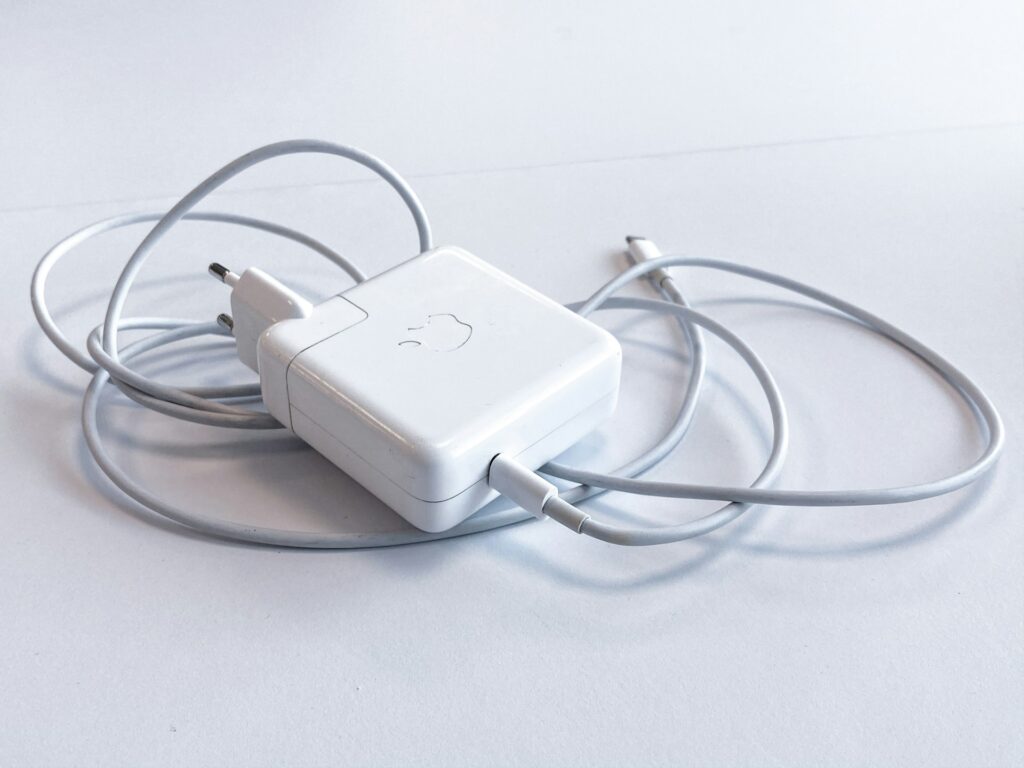
The reason behind this is that low-quality portable chargers can deliver inconsistent voltage, which in turn harms the battery. This applies equally to power banks, too, not just wall adapters. If you can, stick to the OEM charger or a reputable third-party brand.
Ignoring Heat Exposure
Technology has advanced so much over the past decade, but heat exposure remains the silent killer. Phones can become susceptible to this through:
- Being left on a car dashboard in summer.
- Being used heavily while charging.
- Charging in direct sunlight.
All of this generates excessive heat, which degrades battery health. If your phone ever feels warm while charging, consider it a sign to unplug it and let it cool away from direct sunlight before resuming. The same goes for gaming or running heavy apps while charging.
Skipping Software Updates
Software updates may feel optional when your phone is working fine, but they’re so much more important than you might think. Updates often include critical security patches that protect the device and personal data from cyber threats such as malware, ransomware, and phishing attacks.
Beyond security, updates frequently include battery optimization improvements and fixes for background processes that drain power. Running an outdated OS is a slow accumulation of risk. On older phones, that can mean the difference between the device staying usable and grinding to a crawl.
Letting Your Storage Get Completely Full
A phone running on 1GB of remaining storage will behave noticeably differently from one with space to breathe. The OS needs room to write temporary files, cache data, and run basic operations. When your storage is almost full, all of that gets constrained.
A few basic maintenance habits need to be in place here. Start by doing a proper storage audit every few months. Delete apps you haven’t opened in three months or more, offload photos to cloud storage, and clear cached data from apps that don’t need it (Instagram is a big offender here).
A few basic free maintenance steps like these can make your phone so much easier to use.
No Physical Protection
The cracked screen problem doesn’t need much of an introduction. What needs addressing is people buying protection that doesn’t actually match their use. A slim fashion case is fine for someone who sets the phone on a desk all day. It’s not going to be fine for someone who’s on job sites or regularly uses their phone in other challenging conditions.
When choosing a case, consider the material. Silicone, TPU, and polycarbonate each offer different levels of protection, with raised edges that protect your screen when placed face down. Silicone is lightweight but offers little protection, while the other two options are significantly more balanced.
Don’t Forget Screen Protectors!
Screen protectors should also be considered when you’re grabbing a case for your phone. A lot of people put on a thin TPU film and think they’ve ticked the box. For everyday scratch protection, that might be fine. For drop resistance, however, you’ll want a tempered glass solution that’s designed to take the impact and shatter instead of the display.
If you’re looking for something more advanced, you can also consider a blue light screen protector to reduce eye stress or a privacy screen protector for those long commutes.
Maximize Your Phone’s Longevity
A phone that’s properly maintained easily lasts three to four years without significant performance decline. Sometimes, that’s as easy as figuring out which screen protector is best for your phone. Most of the damage that shortens your phone’s lifespan comes from small repeated mistakes rather than major accidents. Building smarter habits today means preventing those mistakes from ever impacting your phone. The best time to start? Today.